Image Analysis Agent
This guide shows how to create a hosted Image Analysis Agent that accepts an image attachment plus a text prompt over the Agent Chat Protocol, then returns a natural-language analysis. The agent is compatible with ASI:One Chat.
Live profile (reference layout for handle, README, and Chat with Agent): Image Analysis Agent Profile.
For a basic ASI:One-compatible agent without attachments, start with ASI:One Compatible Agent.
Prerequisites
- An Agentverse account (this guide is hosted-first).
- An OpenAI API key with access to a multimodal model.
- Familiarity with the Agent Chat Protocol (
ChatMessage,ChatAcknowledgement,ResourceContent,StartSessionContent,MetadataContent). - Optional, for a local clone only:
pip install uagents==0.25.5 uagents-core==0.4.9 "openai>=1.40.0" python-dotenv
Hosted agents on Agentverse already provide uAgents. You still need to paste both Python files below and set secrets.
Overview
You will build a uAgent that:
- Accepts text plus image attachments through the chat protocol.
- Sends the prompt and an HTTPS image URL to the OpenAI multimodal Responses API (default model
gpt-4.1-mini). - Returns a description or analysis in chat.
- Forwards whatever image URL the Chat Interface attached. The agent does not validate file formats or sizes; those limits come from the Chat Interface and OpenAI (typically common raster types such as JPEG, PNG, WebP, and GIF).
Message Flow
The communication between the user, Chat Interface, and Image Analysis Agent proceeds as follows. Message types are defined in the Agent Chat Protocol.
-
User query
- The user submits a prompt and an image through ASI:One Chat.
-
Image upload and query forwarding
- 2.1: The Chat Interface may upload the image to Agent Storage internally.
- 2.2: The Chat Interface forwards the user's query plus
ResourceContent(an attachment URL) to the Image Analysis Agent as aChatMessage.
-
Acknowledgement (on receipt)
- The agent immediately sends a
ChatAcknowledgementfor the incomingmsg_id. Analysis happens after this ack.
- The agent immediately sends a
-
Image URL extraction
- The agent extracts a valid
http/httpsimage URL fromResourceContent(URI or metadata). It does not download the file from Agent Storage; Chat Interface storage is opaque to the agent.
- The agent extracts a valid
-
Image analysis
- 5.1: The agent passes the text prompt and image URL to
get_image_analysis(). - 5.2: That function calls the OpenAI Responses API and returns analysis text.
- 5.1: The agent passes the text prompt and image URL to
-
Response
- The agent sends the analysis back as a
ChatMessagewithTextContent. It does not sendEndSessionContent, so the session stays open for follow-up questions about the same image.
- The agent sends the analysis back as a
-
User receives the response
- The Chat Interface delivers the analysis to the user.
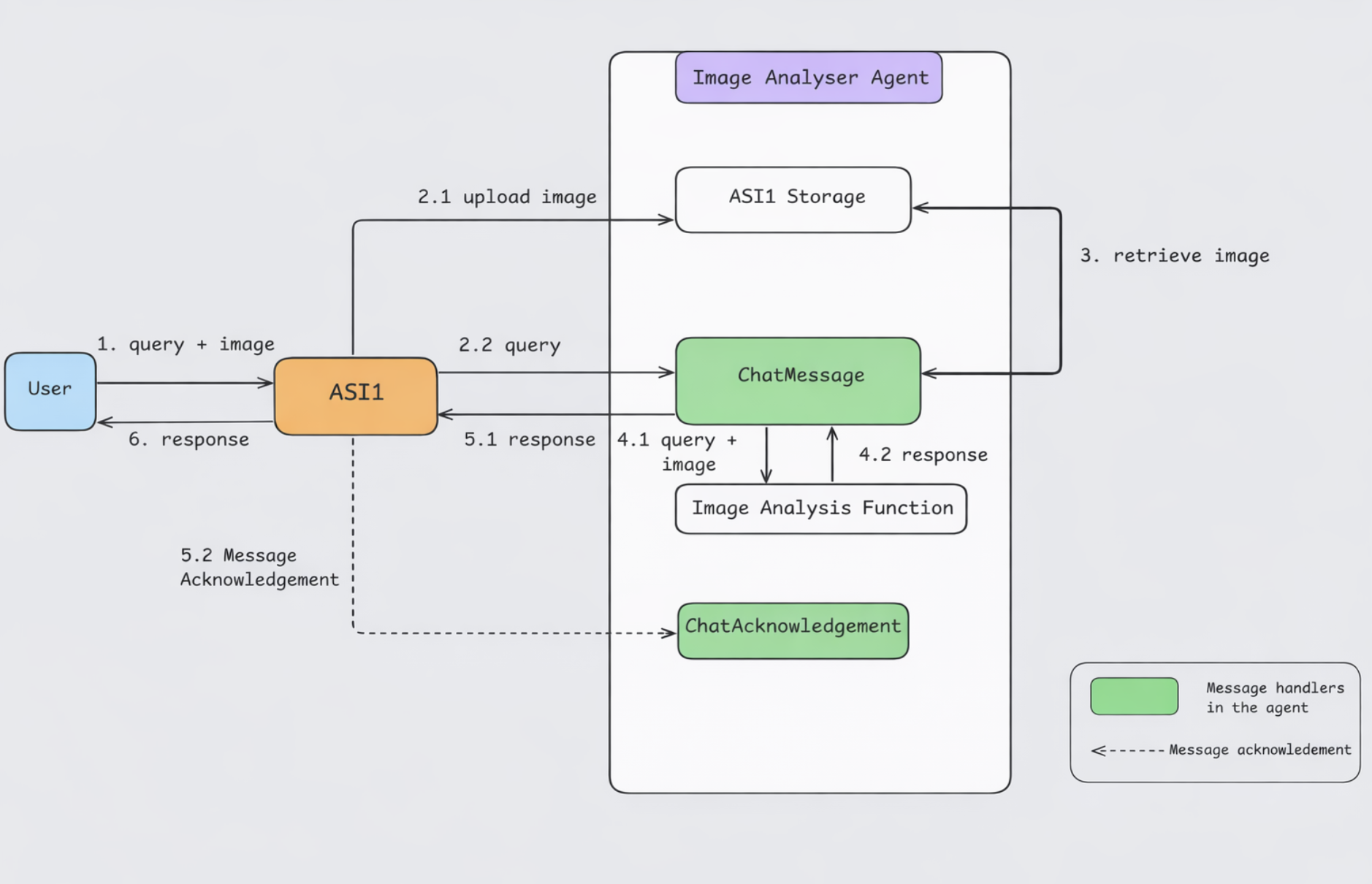
If the static image still shows acknowledgement after the analysis reply, follow the numbered steps: the code acks first, then analyzes, then replies.
Implementation
Create the agent and its files on Agentverse so it can talk to the Chat Interface over the chat protocol.
- Follow the Hosted Agents steps to create a hosted agent named Image Analysis Agent.
- In the editor, add two files (see the directory listing below).
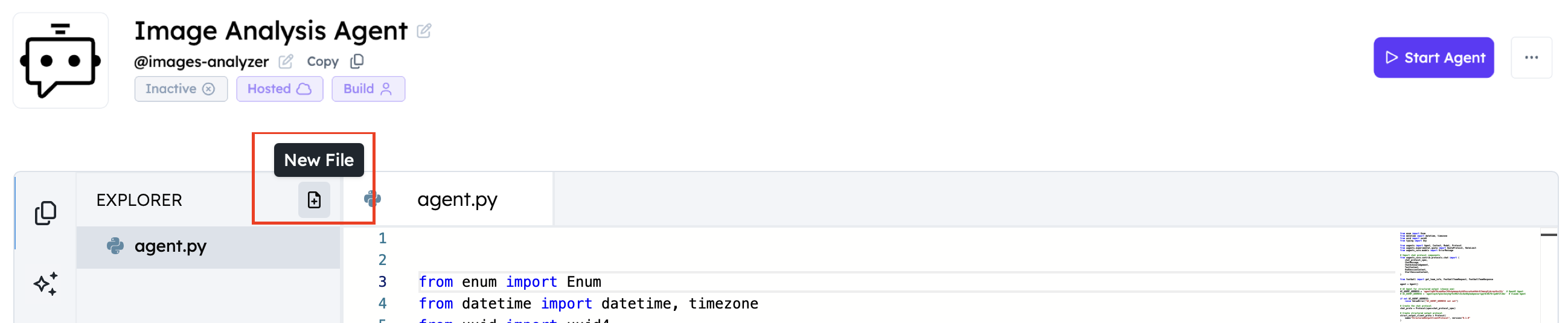
To create a new file on Agentverse:
- Click the New File icon.
- Assign a name to the file.
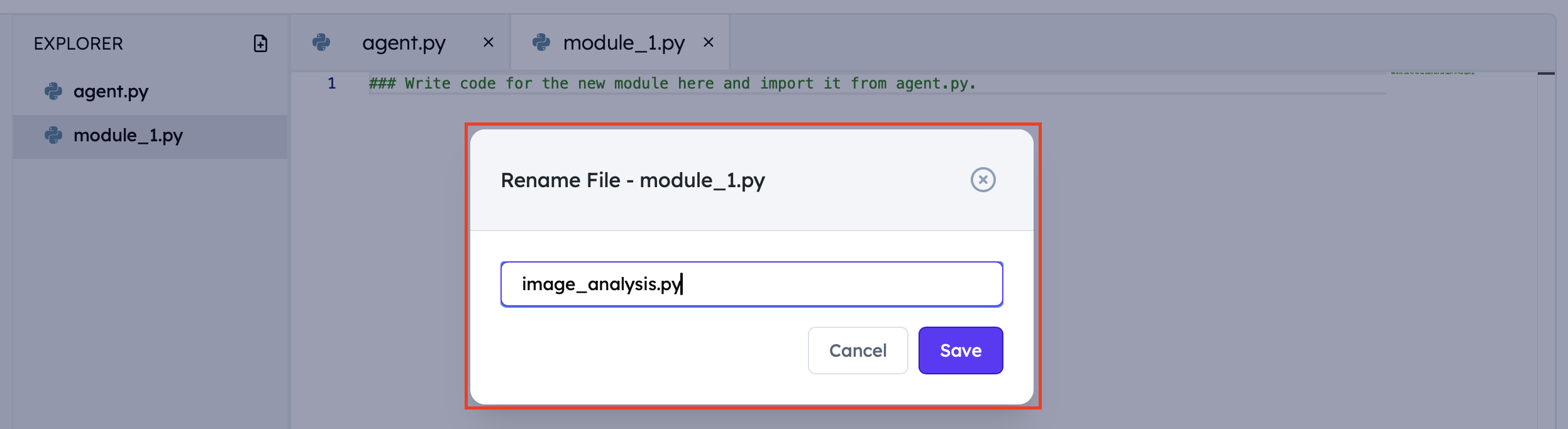
- Confirm the directory structure.

You need both of these files on the hosted agent:
agent.py
image_analysis.py
agent.py— chat protocol handlers forChatMessageandChatAcknowledgement.image_analysis.py— OpenAI Responses API helper.
Agentverse secrets
image_analysis.py reads OPENAI_API_KEY from the environment. On a hosted agent, set it in Agent Secrets (not a local .env file). load_dotenv() in the sample is only useful for local runs.
-
In the agent editor, open the Build tab and Agent Secrets (shield icon).
-
Click + New Secret.
-
Add:
Name Required Default Description OPENAI_API_KEYYes — OpenAI API key MAX_TOKENSNo 1024Max output tokens for the Responses API IMAGE_MODEL_ENGINENo gpt-4.1-miniMultimodal model name -
Save. Restart or start the agent so it picks up the secrets.
Without OPENAI_API_KEY, import fails with OPENAI_API_KEY is required.
1. Image analysis helper (image_analysis.py)
This module sends text and image inputs to the OpenAI Responses API. It accepts HTTPS image URLs (what the hosted agent sends) or optional base64 resource payloads.
import os
from typing import Any

from dotenv import load_dotenv
from openai import OpenAI

load_dotenv()

MAX_TOKENS = int(os.getenv("MAX_TOKENS", "1024"))
MODEL_ENGINE = os.getenv("IMAGE_MODEL_ENGINE", "gpt-4.1-mini")
OPENAI_API_KEY = os.getenv("OPENAI_API_KEY")

if not OPENAI_API_KEY:
    raise ValueError(
        "OPENAI_API_KEY is required. Create one at https://platform.openai.com/api-keys"
    )

client = OpenAI(api_key=OPENAI_API_KEY)

def get_image_analysis(content: list[dict[str, Any]]) -> str:
    processed_content: list[dict[str, Any]] = []

    for item in content:
        item_type = item.get("type")
        if item_type == "text":
            text = item.get("text", "")
            if text:
                processed_content.append({"type": "input_text", "text": text})
        elif item_type == "resource":
            mime_type = item.get("mime_type", "")
            image_b64 = item.get("contents", "")
            if not mime_type.startswith("image/"):
                return f"Unsupported mime type: {mime_type}"
            if not image_b64:
                return "Image content is empty."
            processed_content.append(
                {
                    "type": "input_image",
                    "image_url": f"data:{mime_type};base64,{image_b64}",
                }
            )
        elif item_type == "resource_url":
            image_url = item.get("url", "")
            if not image_url:
                return "Image URL is empty."
            processed_content.append(
                {
                    "type": "input_image",
                    "image_url": image_url,
                }
            )

    if not processed_content:
        return "Please send a text prompt and an image attachment."

    try:
        response = client.responses.create(
            model=MODEL_ENGINE,
            input=[{"role": "user", "content": processed_content}],
            max_output_tokens=MAX_TOKENS,
        )
        if response.output_text:
            return response.output_text
        return "I could not generate an analysis for this image."
    except Exception as err:
        return f"An error occurred while analyzing the image: {err}"
2. Hosted agent (agent.py)
On Agentverse, omit agent.run(). The platform starts the process. The hosted snippet ends after agent.include(...).
from datetime import datetime, timezone
from typing import Any
from urllib.parse import urlparse
from uuid import uuid4

from uagents import Agent, Context, Protocol
from uagents_core.contrib.protocols.chat import (
    ChatAcknowledgement,
    ChatMessage,
    MetadataContent,
    ResourceContent,
    StartSessionContent,
    TextContent,
    chat_protocol_spec,
)

from image_analysis import get_image_analysis

agent = Agent()
chat_proto = Protocol(spec=chat_protocol_spec)

def create_text_chat(text: str) -> ChatMessage:
    return ChatMessage(
        timestamp=datetime.now(timezone.utc),
        msg_id=uuid4(),
        content=[TextContent(type="text", text=text)],
    )

def create_metadata_chat(metadata: dict[str, str]) -> ChatMessage:
    return ChatMessage(
        timestamp=datetime.now(timezone.utc),
        msg_id=uuid4(),
        content=[MetadataContent(type="metadata", metadata=metadata)],
    )

def extract_image_url(item: ResourceContent) -> str | None:
    resources = item.resource if isinstance(item.resource, list) else [item.resource]
    for resource in resources:
        uri = getattr(resource, "uri", None)
        if isinstance(uri, str):
            parsed = urlparse(uri)
            if parsed.scheme in {"http", "https"} and parsed.netloc:
                return uri

        metadata = getattr(resource, "metadata", None) or {}
        if isinstance(metadata, dict):
            for key in ("url", "uri", "source", "image_url"):
                candidate = metadata.get(key)
                if isinstance(candidate, str):
                    parsed = urlparse(candidate)
                    if parsed.scheme in {"http", "https"} and parsed.netloc:
                        return candidate
    return None

@chat_proto.on_message(ChatMessage)
async def handle_message(ctx: Context, sender: str, msg: ChatMessage):
    ctx.logger.info(f"Got a message from {sender}")

    await ctx.send(
        sender,
        ChatAcknowledgement(
            acknowledged_msg_id=msg.msg_id,
            timestamp=datetime.now(timezone.utc),
        ),
    )

    prompt_content: list[dict[str, Any]] = []

    for item in msg.content:
        if isinstance(item, StartSessionContent):
            ctx.logger.info(f"Got a start session message from {sender}")
            await ctx.send(sender, create_metadata_chat({"attachments": "true"}))
        elif isinstance(item, TextContent):
            ctx.logger.info(f"Got text content from {sender}: {item.text}")
            prompt_content.append({"type": "text", "text": item.text})
        elif isinstance(item, ResourceContent):
            ctx.logger.info(f"Got resource content from {sender}")
            image_url = extract_image_url(item)
            if not image_url:
                await ctx.send(
                    sender,
                    create_text_chat(
                        "Attachment URL not found. Please re-upload the image and try again."
                    ),
                )
                return
            ctx.logger.info(f"Using image URL={image_url}")
            prompt_content.append({"type": "resource_url", "url": image_url})

    if not prompt_content:
        await ctx.send(
            sender, create_text_chat("Please send a question and attach an image.")
        )
        return

    try:
        response = get_image_analysis(prompt_content)
        await ctx.send(sender, create_text_chat(response))
    except Exception as err:
        ctx.logger.error(f"Image analysis error: {err}")
        await ctx.send(
            sender,
            create_text_chat("Sorry, I couldn't analyze the image. Please try again later."),
        )

@chat_proto.on_message(ChatAcknowledgement)
async def handle_ack(ctx: Context, sender: str, msg: ChatAcknowledgement):
    ctx.logger.info(
        f"Got an acknowledgement from {sender} for {msg.acknowledged_msg_id}"
    )

agent.include(chat_proto, publish_manifest=True)
Key features
- Integrated architecture: Chat protocol handlers live in
agent.py. - Attachment URL extraction: HTTPS URLs are read from
ResourceContentURIs and metadata. Chat Interface storage is opaque to the agent. - OpenAI Responses API: Text plus image URL (or optional base64) go to the multimodal model.
- Error handling: Missing URLs, empty prompts, and OpenAI failures return user-facing chat text.
- Multi-turn sessions:
StartSessionContentadvertises"attachments": "true". Replies omitEndSessionContentso ASI:One Chat can keep the session open for follow-ups.
3. Local run (optional)
Use this only if you clone the sample and run outside Agentverse. Replace Agent() with mailbox/port settings and add a guarded run(). Keep the handlers from the hosted snippet.
agent = Agent(
    name="image-analysis-agent",
    seed="<your-agent-seedphrase>",
    port=8001,
    mailbox=True,
    publish_agent_details=True,
)

# ... same chat_proto handlers as the hosted agent.py ...

agent.include(chat_proto, publish_manifest=True)

if __name__ == "__main__":
    agent.run()
Create a .env in the project directory (or export variables in your shell). load_dotenv() in image_analysis.py loads that file locally; Agentverse secrets replace it when hosted.
macOS / Linux:
python3 -m venv .venv
source .venv/bin/activate
pip install uagents==0.25.5 uagents-core==0.4.9 "openai>=1.40.0" python-dotenv
export OPENAI_API_KEY="<your-openai-api-key>"
python agent.py
Windows (PowerShell):
python -m venv .venv
.\.venv\Scripts\Activate.ps1
pip install uagents==0.25.5 uagents-core==0.4.9 "openai>=1.40.0" python-dotenv
$env:OPENAI_API_KEY = "<your-openai-api-key>"
python agent.py
After start, connect the mailbox from the Agent Inspector as in the ASI:One Compatible Agent guide, then use Chat with Agent.
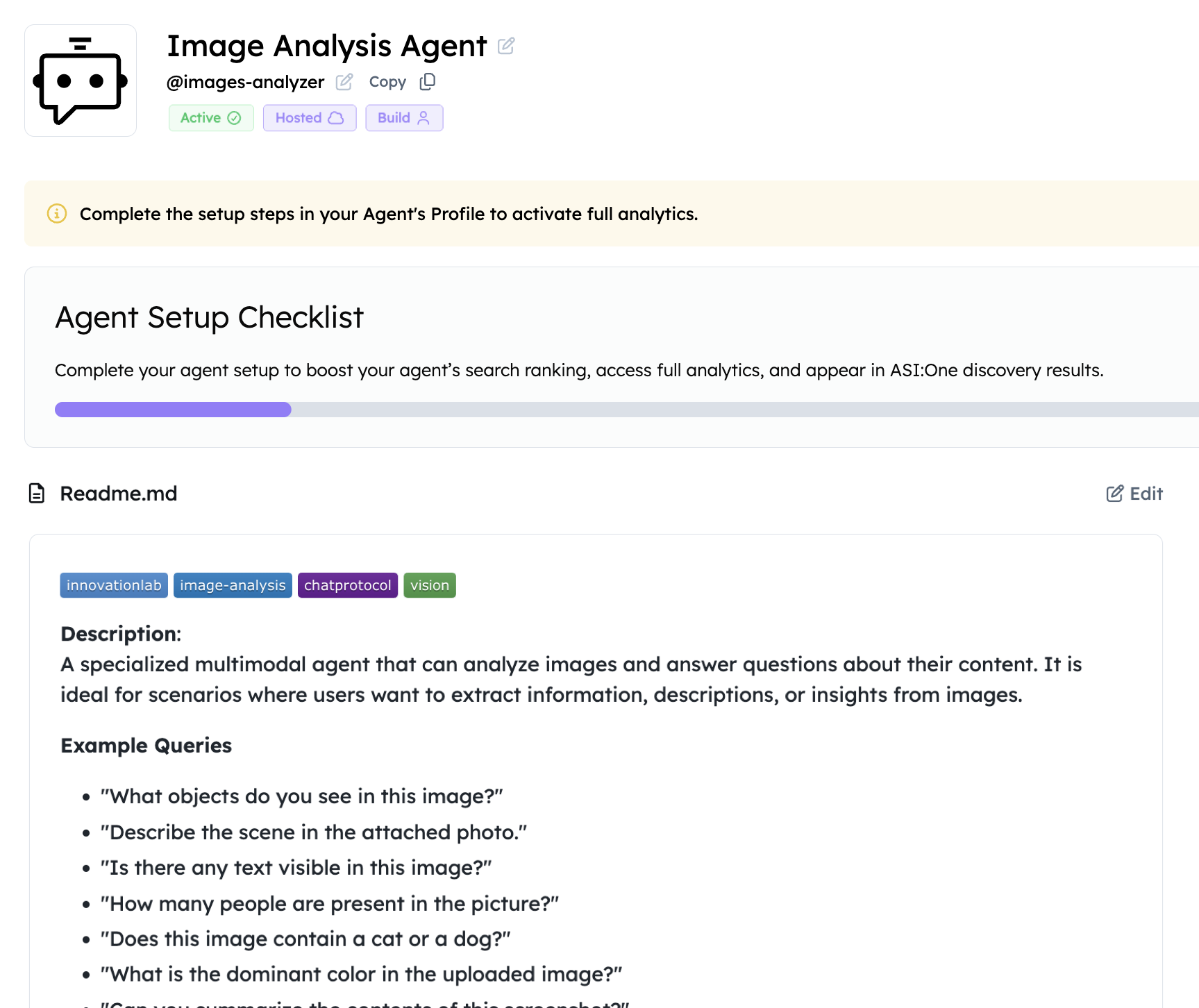
Adding a README to your agent
- Open the Overview section in the editor.
- Click Edit and add a searchable description so ASI:One can find the agent. See Importance of a Good README.
- Confirm the agent publishes
AgentChatProtocol.
Query your agent (ASI:One Chat)
- In Agentverse, Start the hosted agent (or keep your local agent running with mailbox connected).
- Open the agent Inspector, then Agent Profile. Edit the handle and README if needed. Use the live profile example as a layout reference.
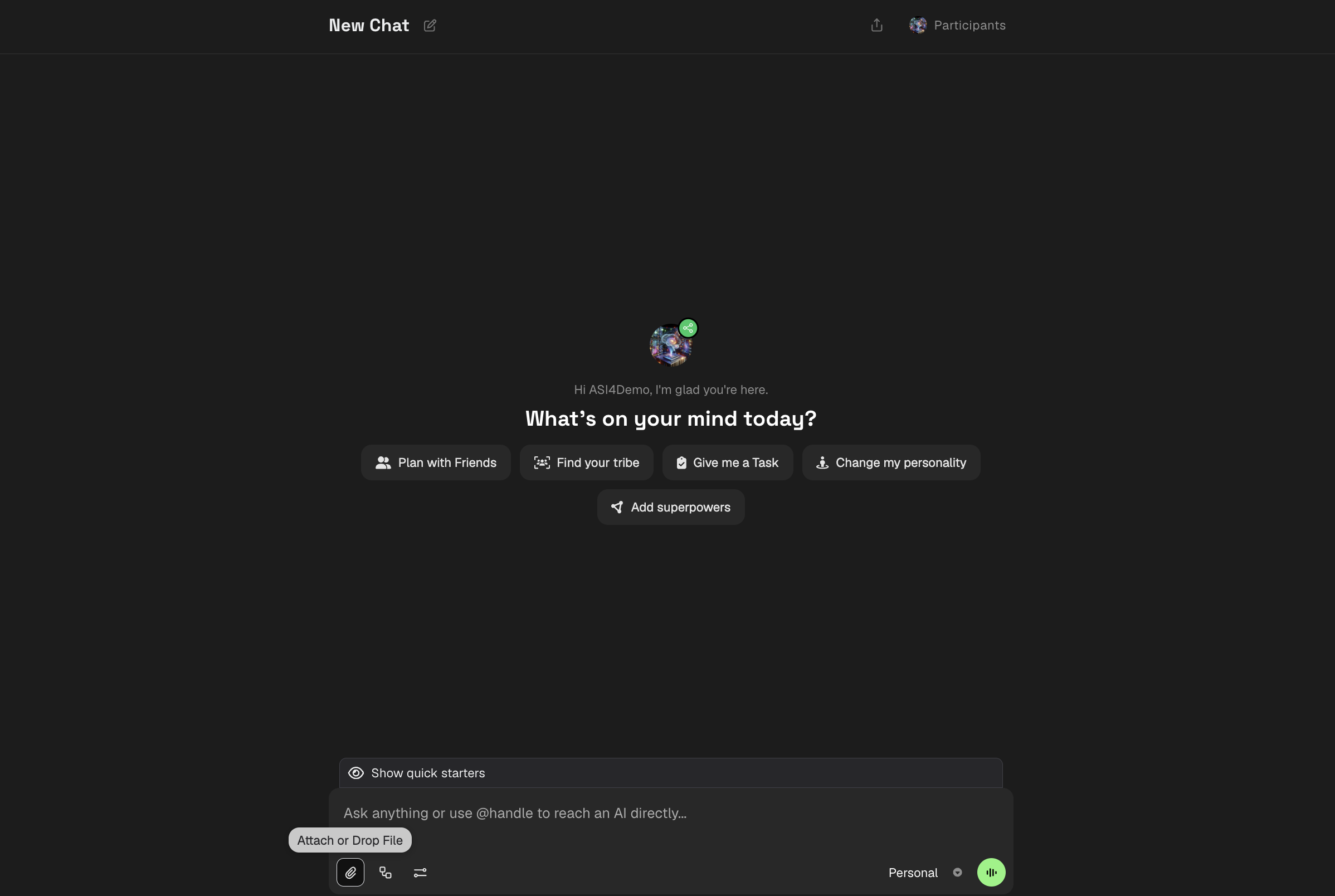
- Click Chat with Agent. That opens ASI:One Chat scoped to your agent.
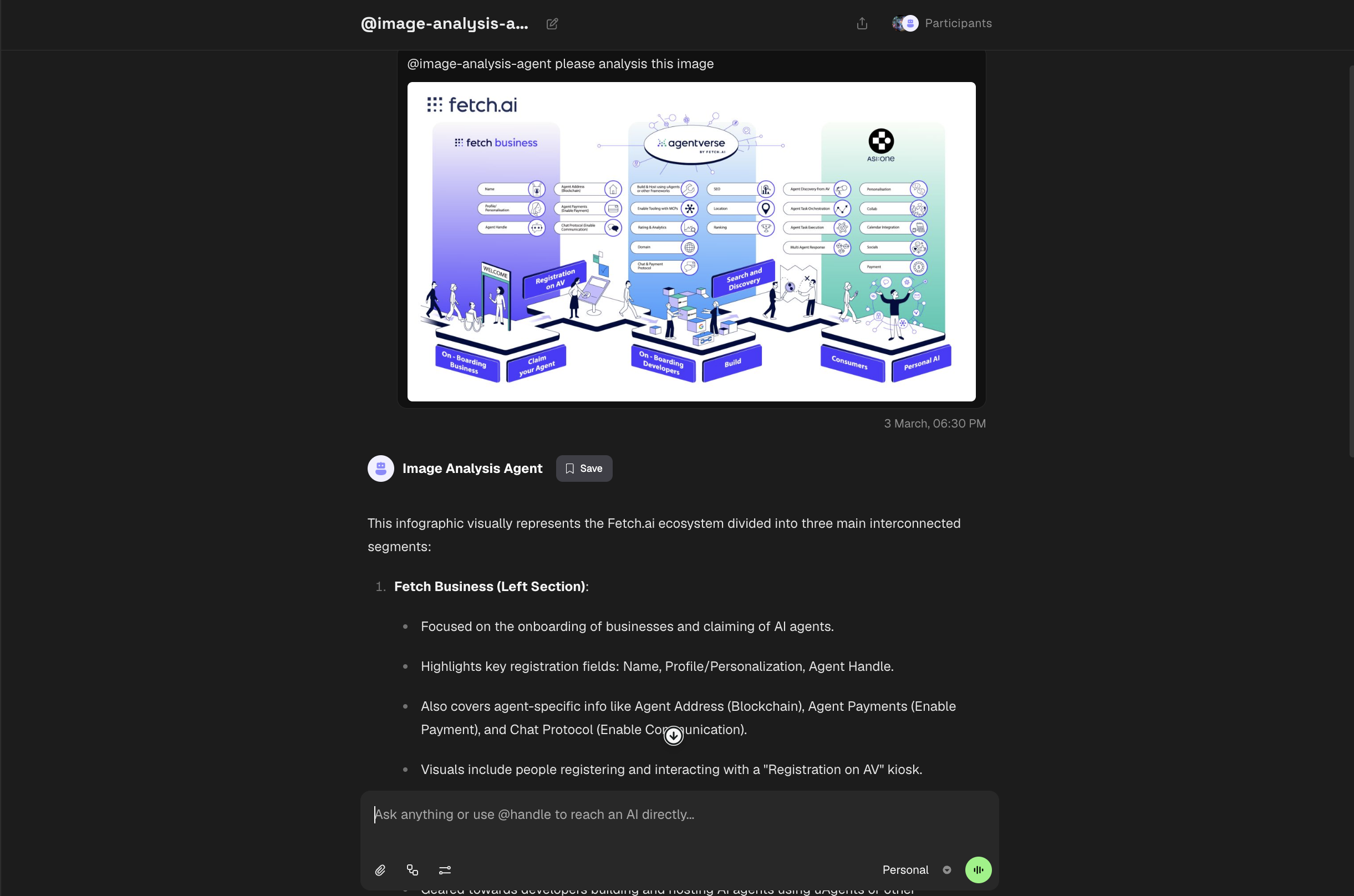
- Use the attach control, upload an image, and send a prompt such as
Please analyze this image.
- The agent returns the analysis in the same chat.
Environment variables
| Variable | Required | Default | Where to set |
|---|---|---|---|
OPENAI_API_KEY | Yes | — | Agentverse Secrets, or local env / .env |
MAX_TOKENS | No | 1024 | Same |
IMAGE_MODEL_ENGINE | No | gpt-4.1-mini | Same |
Troubleshooting
| Symptom | What to try |
|---|---|
OPENAI_API_KEY is required | Add the secret in Agentverse Secrets (hosted) or export it before python agent.py (local). load_dotenv() does not run Agentverse secrets for you; the platform injects them. |
Attachment URL not found | Re-upload the image in ASI:One Chat and resend. The agent only accepts http/https URLs on ResourceContent. |
| Empty or generic analysis | Ask a more specific question, or set IMAGE_MODEL_ENGINE to a stronger multimodal model you have access to. |
| Agent ignores images | Confirm the README/session metadata advertises attachments, and that you clicked Chat with Agent for this agent (not a generic ASI:One session). |
| Hosted agent misbehaves after paste | Confirm hosted agent.py has no agent.run() and that both files are present. |
Copy-paste SyntaxError | Copy the titled image_analysis.py and agent.py fences as whole blocks (not a single line). Each statement must stay on its own line. |
Full example repository
A community sample with the same two files lives at gautammanak1/image-analysis-agent. That repository is third-party (not Fetch-maintained). Last verified against this page: 2026-08-26.
Expect drift: the sample requirements.txt pins uagents==0.23.7, while Innovation Lab docs use uagents==0.25.5 and uagents-core==0.4.9. Prefer the snippets on this page for Agentverse. There is no official image-analysis example under fetchai/innovation-lab-examples at the time of writing.