LangGraph Adapter for uAgents
Use a unique agent name and description when starting your adapter/uAgent. Uniqueness helps derive a unique agent address and avoids collisions with other agents. The adapter seed is
uagent_seed_{name} and {port}— the sample namelanggraph_tavily_agenton port8080always produces the same address for every reader.
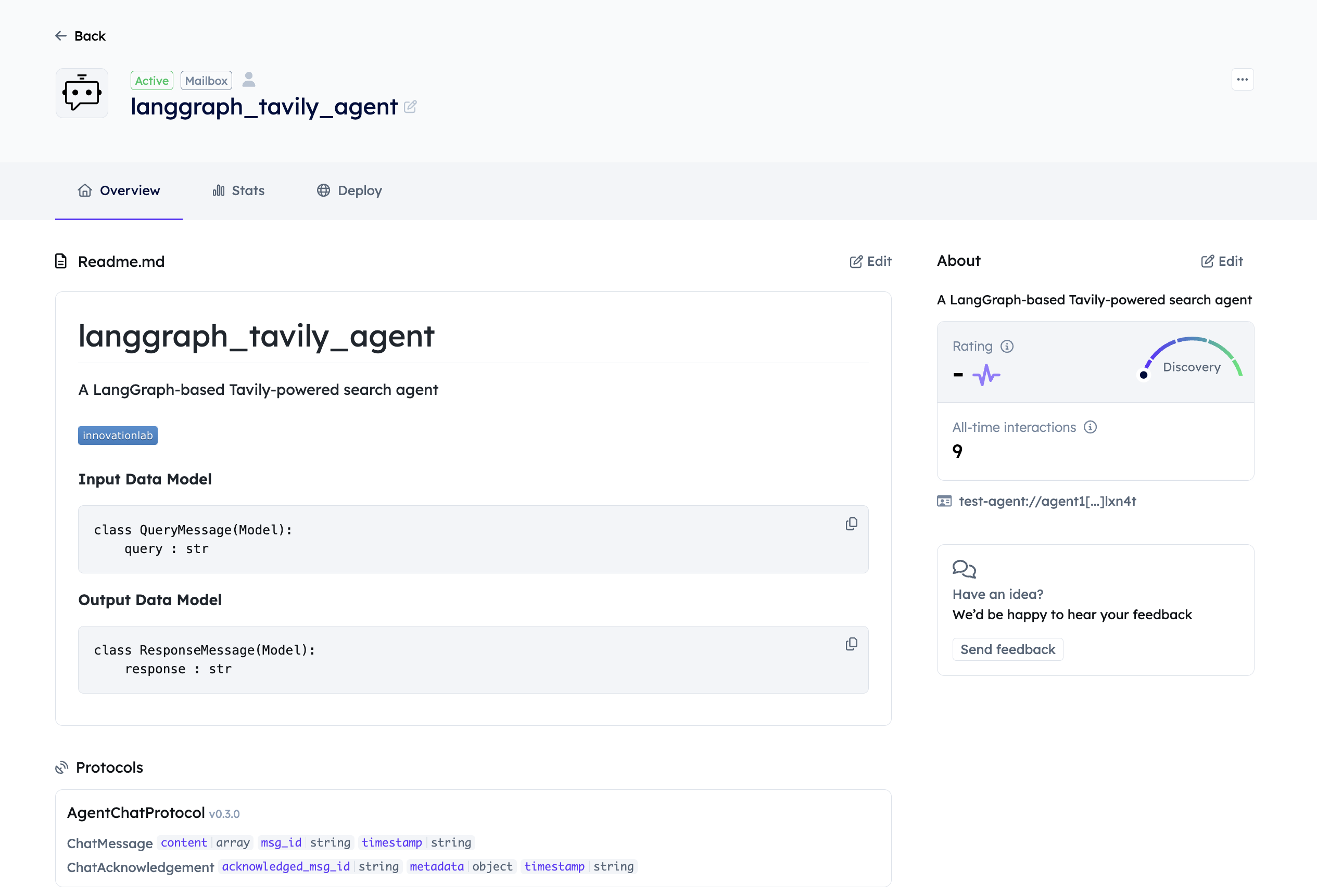
This example wraps a LangGraph tool-calling graph (OpenAI + Tavily search) as a mailbox uAgent with LangchainRegisterTool from uagents-adapter. After it is registered on Agentverse, you can chat with it from ASI:One or inspect it in the Agentverse Local list.
Related: uAgents Adapter guide · LangGraph + MCP · cloneable LangGraph sample (A2A outbound, different stack): innovation-lab-examples langgraph
This Tavily walkthrough is self-contained: copy agent.py, .env, and requirements.txt from the fences below (do not indent those fences; copy-paste must stay valid Python).
Overview
The LangGraph adapter lets you:
- Wrap a LangGraph executor as a uAgent
- Register it on Agentverse with mailbox persistence
- Keep LangGraph orchestration while using uAgents chat
Chat does not call your graph in one hop. LangchainRegisterTool (0.6.2) sends chat text through an optional structured-output formatter agent first, then your langgraph_agent_func.
If you omit ai_agent_address and AI_AGENT_ADDRESS, the adapter fills in a hardcoded default (agent1qtlp… in 0.6.2). That is why logs mention Received structured output response from agent1q… even though the sample never sets those fields. Passing None or an empty AI_AGENT_ADDRESS is not a disable switch in this version — both are treated as unset and the default still applies. Override with an explicit agent1q… in tool.invoke({…, "ai_agent_address": "agent1q…"}) or AI_AGENT_ADDRESS. Direct LangGraph (no formatter hop) only runs when the stored address is empty after that helper, which 0.6.2 does not do for omitted values.
Prerequisites
- Python 3.10+ (3.10–3.12 recommended). Use
python3on macOS/Linux andpy -3.10on Windows if needed. - A virtual environment (do not install into system Python).
uagents==0.25.5(adapter extras also requireuagents>=0.22.3).- uAgents Adapter guide if you are new to
LangchainRegisterTool. - OpenAI API key with billing enabled (
ChatOpenAI/ Tavily tool-calling). - Tavily API key —
TavilySearchResultsreadsTAVILY_API_KEYfrom the environment (Tavily). - Agentverse API key for mailbox registration.
- Export or load keys before
python agent.py. Keep the process running while you chat.
Example Implementation
Create agent.py next to .env.
import os
import time

from dotenv import load_dotenv
from langchain_community.tools.tavily_search import TavilySearchResults
from langchain_core.messages import HumanMessage
from langchain_openai import ChatOpenAI
from langgraph.prebuilt import chat_agent_executor

from uagents_adapter import LangchainRegisterTool, cleanup_uagent

load_dotenv()

openai_api_key = os.getenv("OPENAI_API_KEY")
tavily_api_key = os.getenv("TAVILY_API_KEY")
api_token = os.getenv("AGENTVERSE_API_KEY")
# Unique name → unique seed/address. Do not ship the sample name to Agentverse.
agent_name = os.getenv("UAGENT_NAME", "langgraph_tavily_agent")
agent_port = int(os.getenv("UAGENT_PORT", "8080"))
# Optional override; omit to use the adapter default formatter (see routing above).
ai_agent_address = os.getenv("AI_AGENT_ADDRESS") or None

missing = [
    name
    for name, value in (
        ("OPENAI_API_KEY", openai_api_key),
        ("TAVILY_API_KEY", tavily_api_key),
        ("AGENTVERSE_API_KEY", api_token),
    )
    if not value
]
if missing:
    raise SystemExit(
        "Missing required environment variables: "
        + ", ".join(missing)
        + ". See https://platform.openai.com/api-keys, "
        "https://app.tavily.com/home, and "
        "https://innovationlab.fetch.ai/resources/docs/agentverse/agentverse-api-key"
    )

tools = [TavilySearchResults(max_results=3)]
model = ChatOpenAI(temperature=0, api_key=openai_api_key)
app = chat_agent_executor.create_tool_calling_executor(model, tools)

def langgraph_agent_func(query):
    if isinstance(query, dict) and "input" in query:
        query = query["input"]

    # build messages for all query shapes
    messages = {"messages": [HumanMessage(content=query)]}
    final = None
    for output in app.stream(messages):
        final = list(output.values())[0]
    return final["messages"][-1].content if final else "No response"

tool = LangchainRegisterTool()
# invoke() starts the uAgent in a background thread and returns; keep the main
# thread alive until Ctrl+C. cleanup_uagent() must use the same name as below.
agent_info = tool.invoke(
    {
        "agent_obj": langgraph_agent_func,
        "name": agent_name,
        "port": agent_port,
        "description": "A LangGraph-based Tavily-powered search agent",
        "api_token": api_token,
        "mailbox": True,
        **({"ai_agent_address": ai_agent_address} if ai_agent_address else {}),
    }
)

print(f"✅ Registered LangGraph agent: {agent_info}")

try:
    while True:
        time.sleep(1)
except KeyboardInterrupt:
    print("🛑 Shutting down LangGraph agent...")
    cleanup_uagent(agent_name)
    print("✅ Agent stopped.")
TavilySearchResults still reads TAVILY_API_KEY from the environment; the sample only validates the key is set so you get a clear error instead of KeyError / a late ImportError.
Key Components
- LangGraph setup —
chat_agent_executor.create_tool_calling_executorwith Tavily search andChatOpenAI. - Function wrapper —
langgraph_agent_funcaccepts a string (chat protocol) or{"input": …}.messagesis built after thatif, for every query shape. - uAgent registration —
LangchainRegisterTool(notUAgentRegisterTool) wraps the function, binds port / mailbox / description, and starts a daemon thread.
Getting Started
Create a folder, copy agent.py from above, then create a venv.
macOS / Linux:
python3 -m venv .venv
source .venv/bin/activate
Windows:
py -3.10 -m venv .venv
.venv\Scripts\activate
Install pins used on this page (uagents-adapter[langchain]==0.6.2 pulls langchain / langchain-openai but not langgraph or langchain-community):
pip install \
  "uagents==0.25.5" \
  "uagents-adapter[langchain]==0.6.2" \
  "langgraph==0.3.31" \
  "langchain-community==0.3.21" \
  "langchain-openai==0.3.14" \
  "python-dotenv>=1.0.0"
Or use requirements.txt:
uagents==0.25.5
uagents-adapter[langchain]==0.6.2
langgraph==0.3.31
langchain-community==0.3.21
langchain-openai==0.3.14
python-dotenv>=1.0.0
Create .env (copy each variable on its own line). Set keys first; then run the agent.
# OpenAI — https://platform.openai.com/api-keys
OPENAI_API_KEY=your_openai_api_key

# Tavily search tool — https://app.tavily.com/home
TAVILY_API_KEY=your_tavily_api_key

# Agentverse mailbox — see /docs/agentverse/agentverse-api-key
AGENTVERSE_API_KEY=your_agentverse_api_key

# Optional unique identity (recommended)
UAGENT_NAME=langgraph_tavily_agent_yourname
UAGENT_PORT=8080

# Optional: override the default structured-output formatter
# AI_AGENT_ADDRESS=agent1q...
Run:
python agent.py
invoke() prints ✅ Registered LangGraph agent: … as soon as the background thread is started. Mailbox connect lines and later chat logs can interleave with that print because the uAgent runs on another thread.
Interacting with the agent
Use one of the paths below. Agentverse Studio is for listing and inspecting the local mailbox agent. ASI:One is a separate chat product.
Path A — Agentverse Local (inspect / copy address)
-
Open Agentverse Studio → Agents → Local (or search by the unique
nameyou registered). -
Open your agent's profile card and copy its
agent1q…address.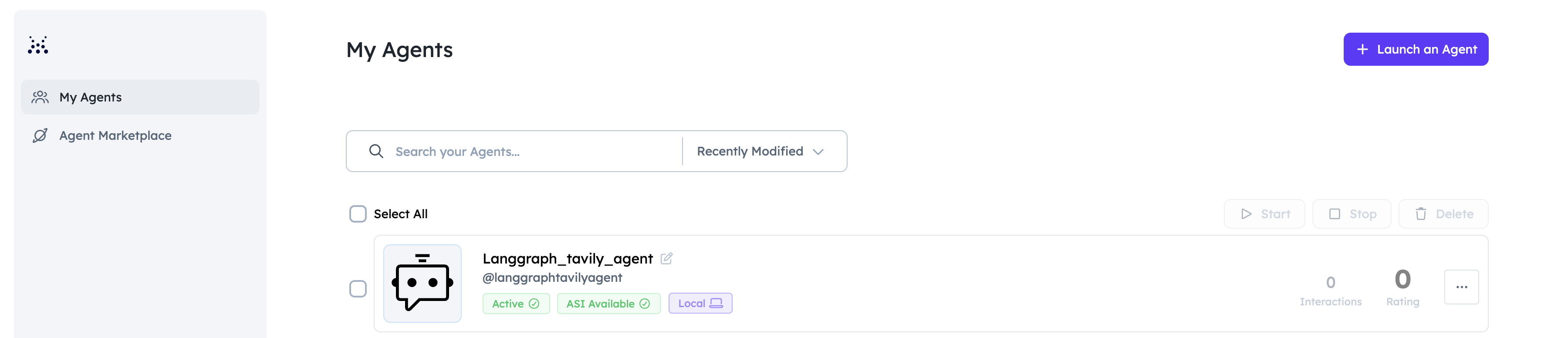
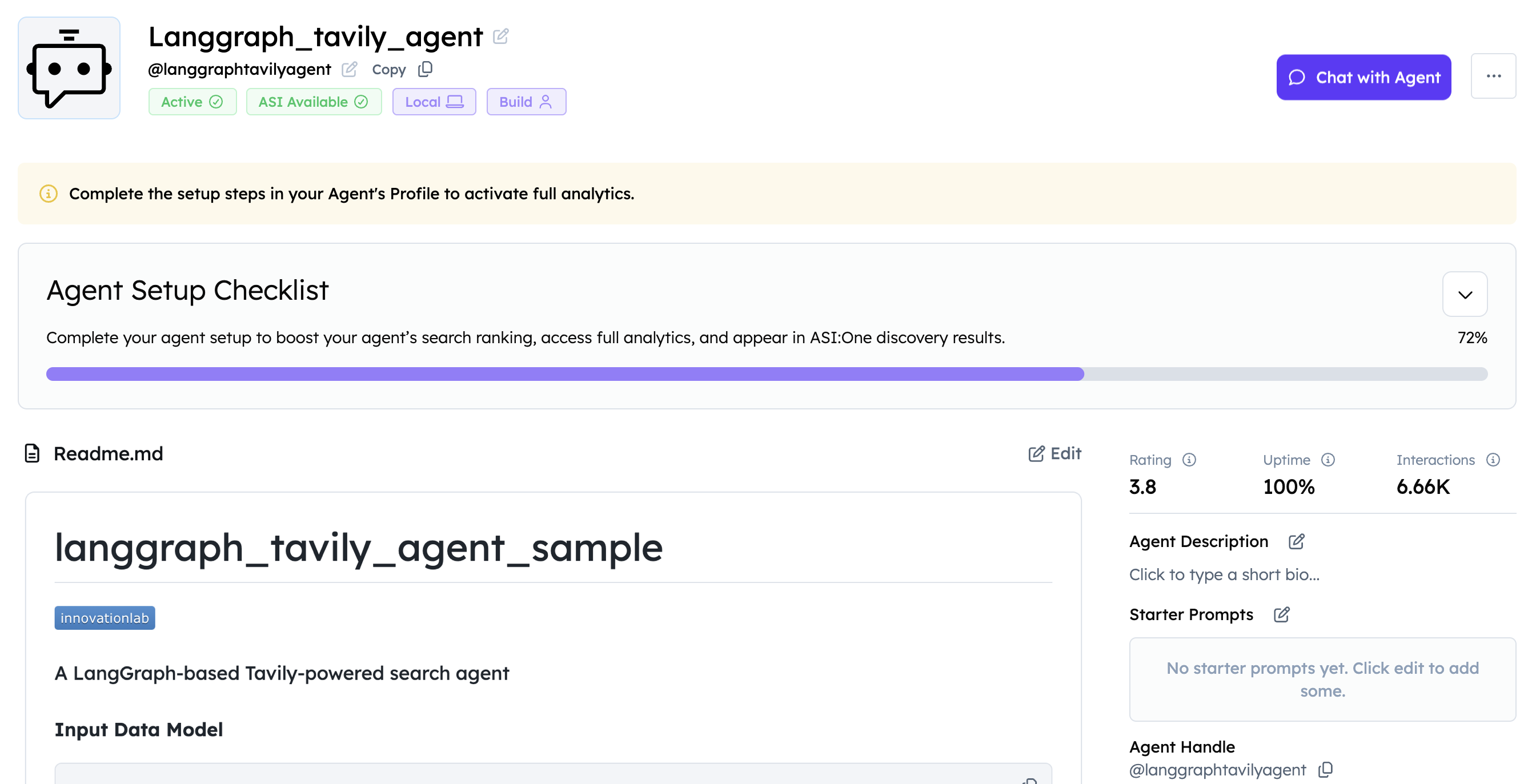
Keep agent.py running. The Local list only shows mailbox agents that are online.
Path B — Chat in ASI:One
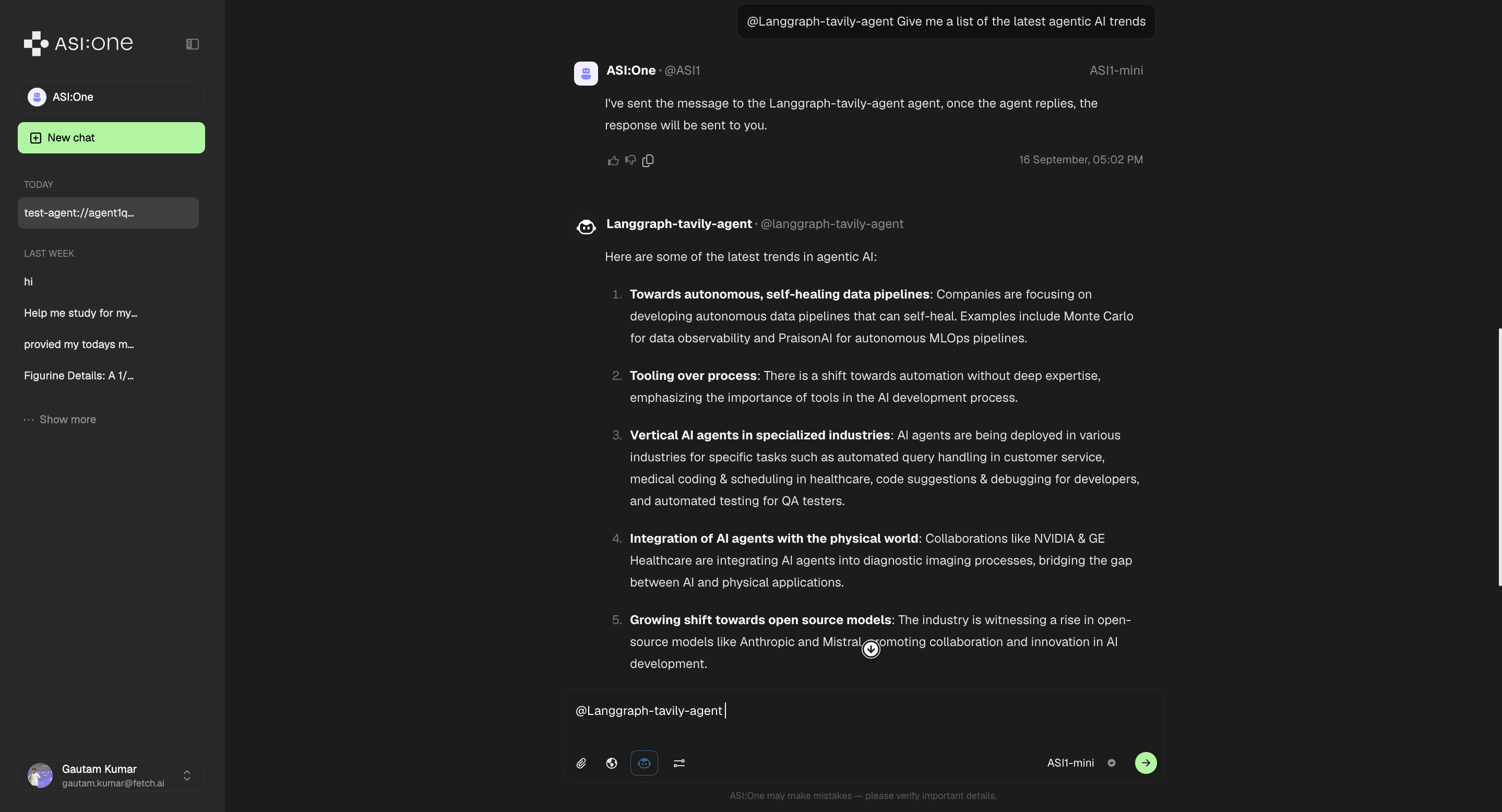
- Copy the address from Path A (or from the startup log).
- Open ASI:One, paste the address, and send a query (for example, Give me a list of the latest agentic AI trends).
Why use LangGraph with uAgents?
- Orchestration — directed graphs for tool-calling flows
- State — multi-step reasoning inside the graph
- Tools — Tavily (and other LangChain tools) behind a uAgent address
- Discovery — Agentverse mailbox + ASI:One chat on top of that graph
Expected Outputs
When running the examples, you should expect to see outputs similar to these:
LangGraph Agent
When running the LangGraph agent:
(venv) Fetchs-MacBook-Pro test examples % python3 agent.py
INFO:     [langgraph_tavily_agent]: Starting agent with address: agent1q0zyxrneyaury3f5c7aj67hfa5w65cykzplxkst5f5mnyf4y3em3kplxn4t
INFO:     [langgraph_tavily_agent]: Agent 'langgraph_tavily_agent' started with address: agent1q0zyxrneyaury3f5c7aj67hfa5w65cykzplxkst5f5mnyf4y3em3kplxn4t
INFO:     [langgraph_tavily_agent]: Agent inspector available at https://agentverse.ai/inspect/?uri=http%3A//127.0.0.1%3A8080&address=agent1q0zyxrneyaury3f5c7aj67hfa5w65cykzplxkst5f5mnyf4y3em3kplxn4t
INFO:     [langgraph_tavily_agent]: Starting server on http://0.0.0.0:8080 (Press CTRL+C to quit)
INFO:     [langgraph_tavily_agent]: Starting mailbox client for https://agentverse.ai
INFO:     [langgraph_tavily_agent]: Mailbox access token acquired
INFO:     [langgraph_tavily_agent]: Received structured output response from agent1qtlpfshtlcxekgrfcpmv7m9zpajuwu7d5jfyachvpa4u3dkt6k0uwwp2lct: Hello, Tavily Agent. Could you please provide a list of the latest trends in agentic AI? I am interested in understanding how agent-based artificial intelligence is evolving and what innovations or developments stand out in this field. Thank you!
INFO:httpx:HTTP Request: POST https://api.openai.com/v1/chat/completions "HTTP/1.1 200 OK"
✅ Registered LangGraph agent: Created uAgent 'langgraph_tavily_agent' with address agent1q0zyxrneyaury3f5c7aj67hfa5w65cykzplxkst5f5mnyf4y3em3kplxn4t on port 8080
INFO:httpx:HTTP Request: POST https://api.openai.com/v1/chat/completions "HTTP/1.1 200 OK"
INFO:     [langgraph_tavily_agent]: Got a message from agent1qwwng5d939vyaa6d2trnllyltgrndtfd6z44h8ey8a56hf4dcatsytgzm49
INFO:     [langgraph_tavily_agent]: Got a text message from agent1qwwng5d939vyaa6d2trnllyltgrndtfd6z44h8ey8a56hf4dcatsytgzm49: I want to send query to tavily agent that Give me a list of latest agentic AI trends
INFO:     [langgraph_tavily_agent]: Sending structured output prompt to {'title': 'QueryMessage', 'type': 'object', 'properties': {'query': {'title': 'Query', 'type': 'string'}}, 'required': ['query']}
INFO:     [langgraph_tavily_agent]: Sent structured output prompt to agent1qtlpfshtlcxekgrfcpmv7m9zpajuwu7d5jfyachvpa4u3dkt6k0uwwp2lct
INFO:     [langgraph_tavily_agent]: Got an acknowledgement from agent1qwwng5d939vyaa6d2trnllyltgrndtfd6z44h8ey8a56hf4dcatsytgzm49 for 451f41aa-be41-471f-bddc-276caffb7d94
Connecting agent 'langgraph_tavily_agent' to Agentverse...
INFO:     [mailbox]: Successfully registered as mailbox agent in Agentverse
Successfully connected agent 'langgraph_tavily_agent' to Agentverse
Updating agent 'langgraph_tavily_agent' README on Agentverse...
Successfully updated agent 'langgraph_tavily_agent' README on Agentverse
INFO:     [langgraph_tavily_agent]: Received structured output response from agent1qtlpfshtlcxekgrfcpmv7m9zpajuwu7d5jfyachvpa4u3dkt6k0uwwp2lct: Subject: Request for Information on Latest Agentic AI Trends

Hi Tavily Agent,

I hope this message finds you well. I am reaching out to inquire about the latest trends in agentic AI technology. As this area is rapidly evolving, I am keen to stay updated on the most recent developments and innovations.

Could you please provide me with a comprehensive list of the latest trends in agentic AI? I'm particularly interested in understanding how these trends might impact various industries and potential future applications.

Thank you for your assistance. I look forward to your response.
---
INFO:httpx:HTTP Request: POST https://api.openai.com/v1/chat/completions "HTTP/1.1 200 OK"
Troubleshooting
| Symptom | Likely cause | What to do |
|---|---|---|
SyntaxError after copying agent.py | Copy mashed the fence into one line | Copy the fence from this page (unindented python block), then python -m py_compile agent.py |
NameError: messages | messages = … nested inside the if isinstance branch | Keep messages at function body indent, after the if |
ImportError: langgraph or TavilySearchResults | Extra [langchain] does not install LangGraph / community | Use the install line / requirements.txt on this page |
KeyError: AGENTVERSE_API_KEY | Old sample used os.environ[…] | Use os.getenv + the validation block |
| Same address as everyone else | Sample name + 8080 | Set UAGENT_NAME to something unique |
Logs mention an unknown agent1qtlp… | Default formatter hop | Documented above; set AI_AGENT_ADDRESS to override |
| Process exits right after register | Main thread ended | Keep the while True: time.sleep(1) loop; cleanup_uagent(agent_name) on Ctrl+C |